MetaTrader 4 platform
Download MT4 for Forex and CFD trading with Tickmill
Why trade with Tickmill's MetaTrader 4?

MT4 stands as the world's most widely used trading platform, trusted by millions of traders since 2005. At Tickmill, we've optimised MT4 to deliver the execution speed, competitive pricing, and reliability you need in fast-moving markets.
What you get with Tickmill's MT4:
- Spreads from 0.0 pips – Trade with institutional-grade pricing on major pairs.
- No partial fills – Execute your full order size thanks to deep liquidity from top-tier providers.
- 180+ instruments – Access CFDs on forex, stock indices, commodities, bonds, and cryptocurrencies.
- 50+ technical indicators – Analyse markets with professional-grade tools and fully customisable charting.
- 24/7 Expert Advisor support – Run automated strategies around the clock with our VPS services.
- 39 languages – Trade in your preferred language with full platform localization.
Tickmill delivers MT4 infrastructure built for reliability. Fast execution, stable connectivity, and deep liquidity prevent slippage.
Download MT4 for your device
Getting started with MT4 takes minutes. Choose your platform below and follow the straightforward installation process.
MT4 platform features built for traders
One-click trading
Speed matters. Execute trades instantly with a single click, essential for scalpers and day traders who need to move fast when opportunities appear. One-click trading eliminates the confirmation step, letting you enter or exit positions at the exact moment you spot an opportunity.
Advanced Technical Analysis
Analyse markets your way. MT4 gives you 30 built-in indicators, 24 graphical objects, and the ability to add custom indicators that match your trading strategy.
The platform includes:
30 built-in indicators: Moving averages, oscillators (RSI, Stochastic, MACD), volume tools, and trend indicators.
24 graphical objects: Draw trendlines, channels, Fibonacci retracements, and support/resistance levels.
Custom indicator support: Install or develop your own indicators using MQL4
Template saving: Create and save chart configurations to apply your preferred setup instantly.
Whether you trade based on technical patterns, price action, or algorithmic signals, MT4's charting tools adapt to your methodology.
Automated trading with Expert Advisors
Let algorithms work for you. Design, test, and deploy Expert Advisors (EAs) using MQL4, or choose from thousands in the MetaTrader Marketplace. Run your EAs 24/7 with Tickmill's VPS services.
EAs are automated trading programs that execute trades based on predefined rules. You can build custom EAs using MQL4, backtest strategies against historical data, or download pre-built solutions from the Marketplace. Deploy your EA on Tickmill's VPS to ensure continuous operation without keeping your computer running.
Multi-device trading
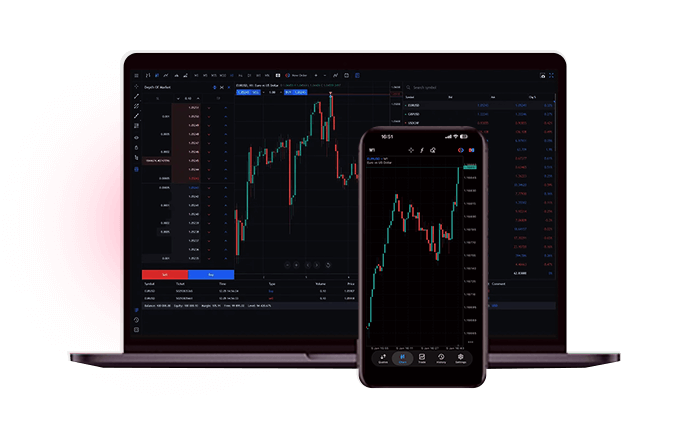
Trade anywhere. MT4 runs on Windows, Mac, iOS, and Android. Monitor positions, analyse charts, and execute trades whether you're at your desk or on the move.
Your account synchronises across all devices. The mobile apps offer complete trading capabilities including technical indicators, drawing tools, and order management, plus real-time notifications when markets hit your specified levels.
Ready to start trading on MT4?
Open your Tickmill account and experience MT4 with competitive spreads, fast execution, and deep liquidity.
Not sure where to start? Open a demo account to explore MT4 risk-free. Compare our account types to find the setup that matches your approach.